For Mendix architects, developers and reviewers

Read a Mendix app
like you built it.

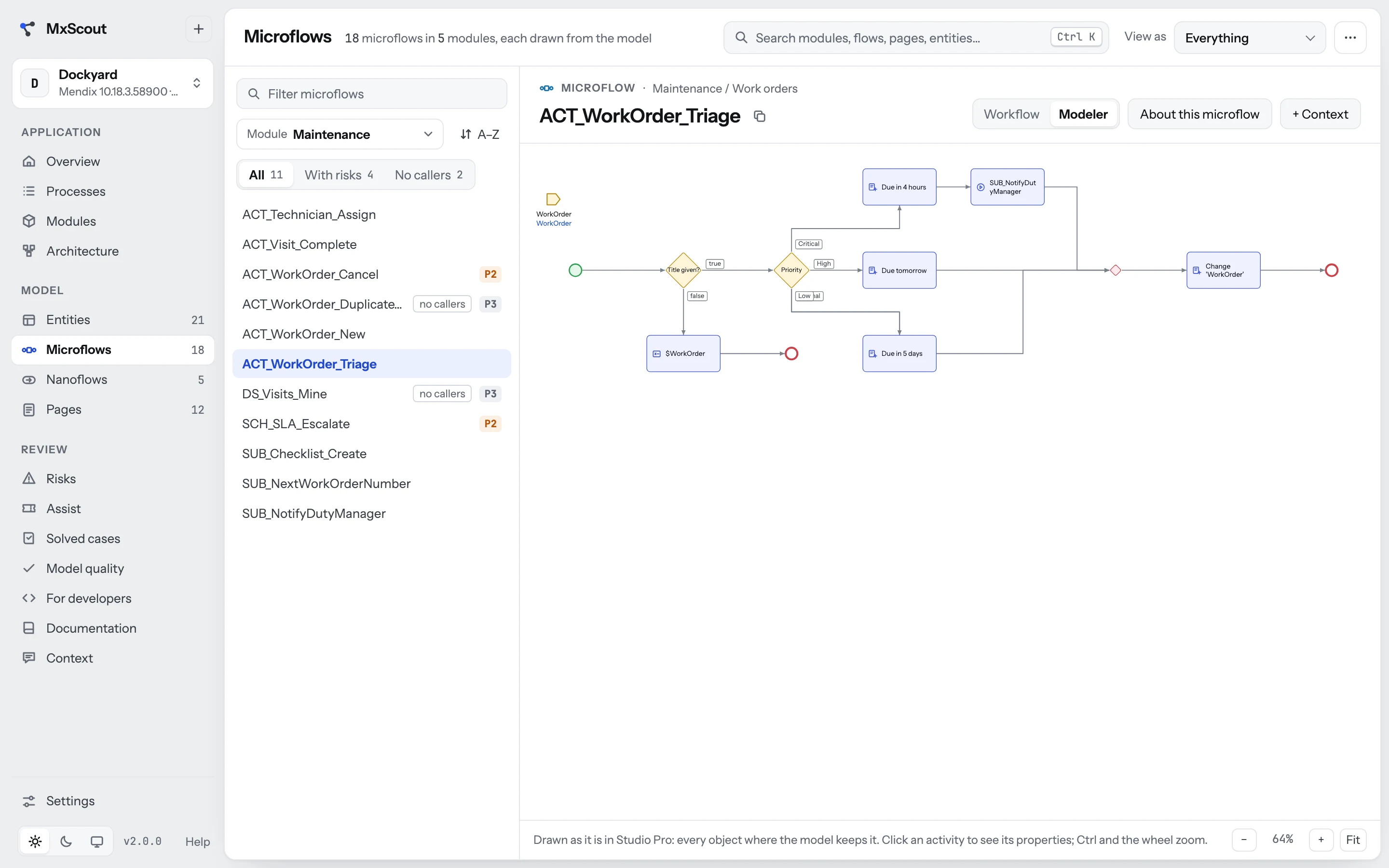
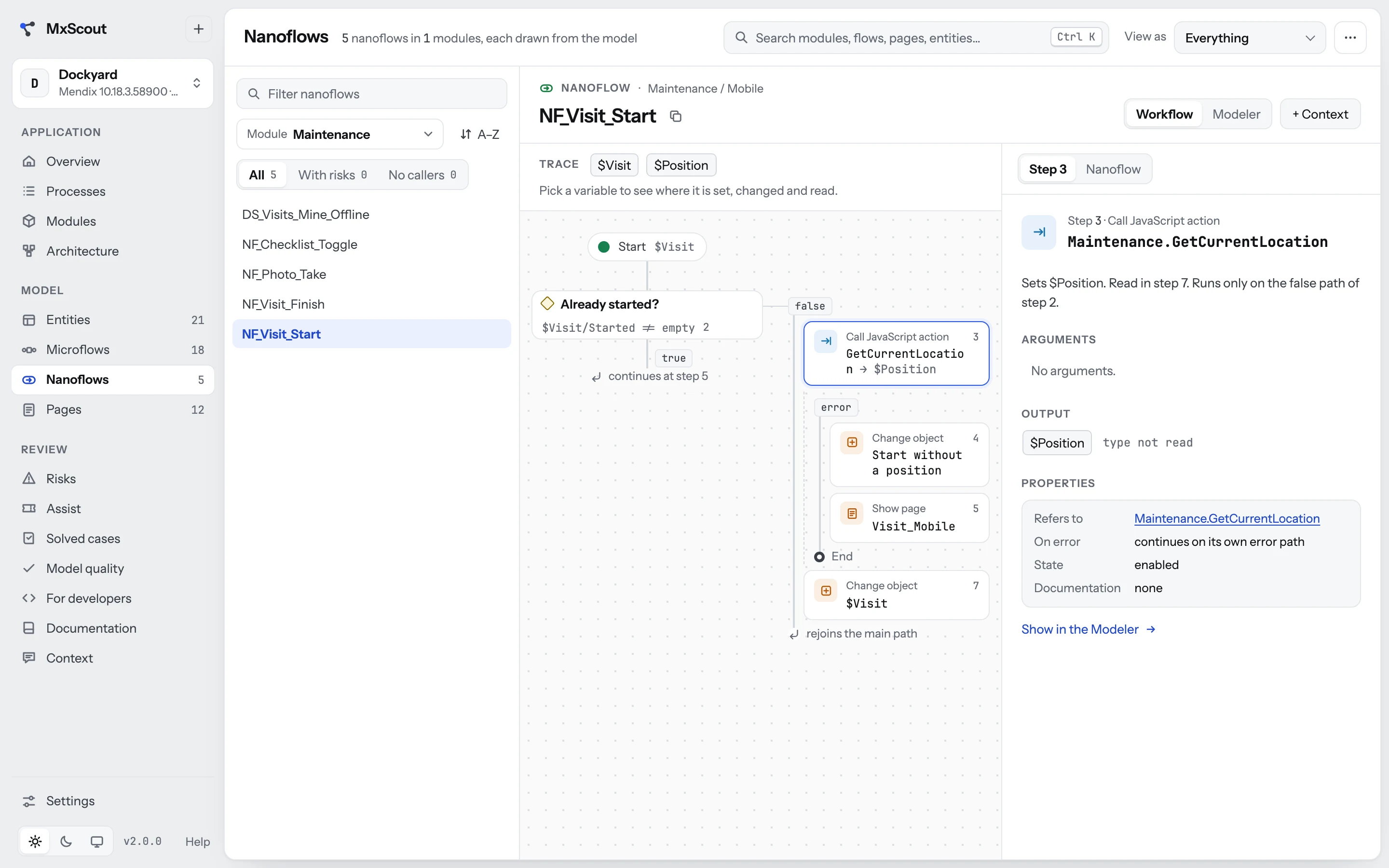
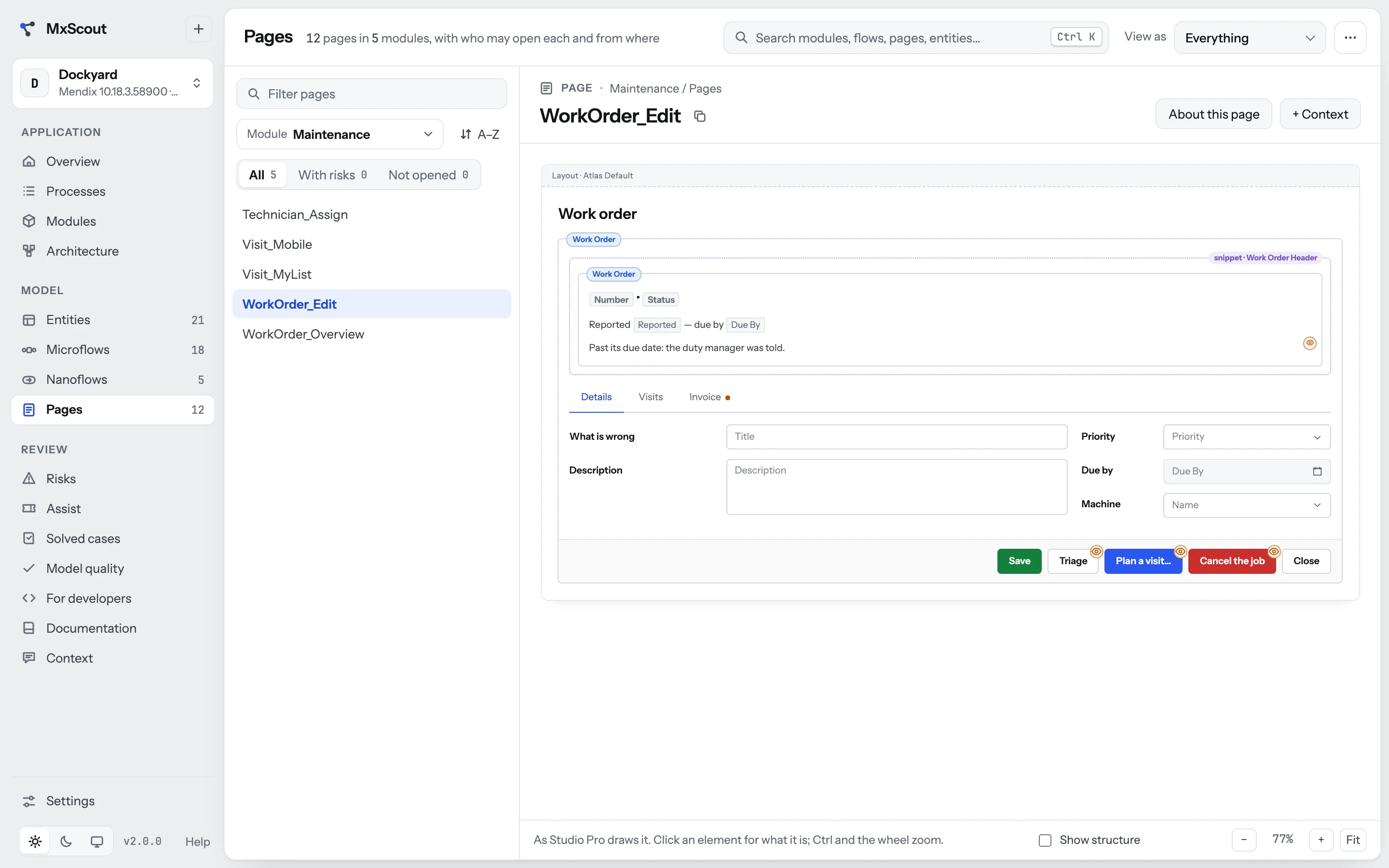
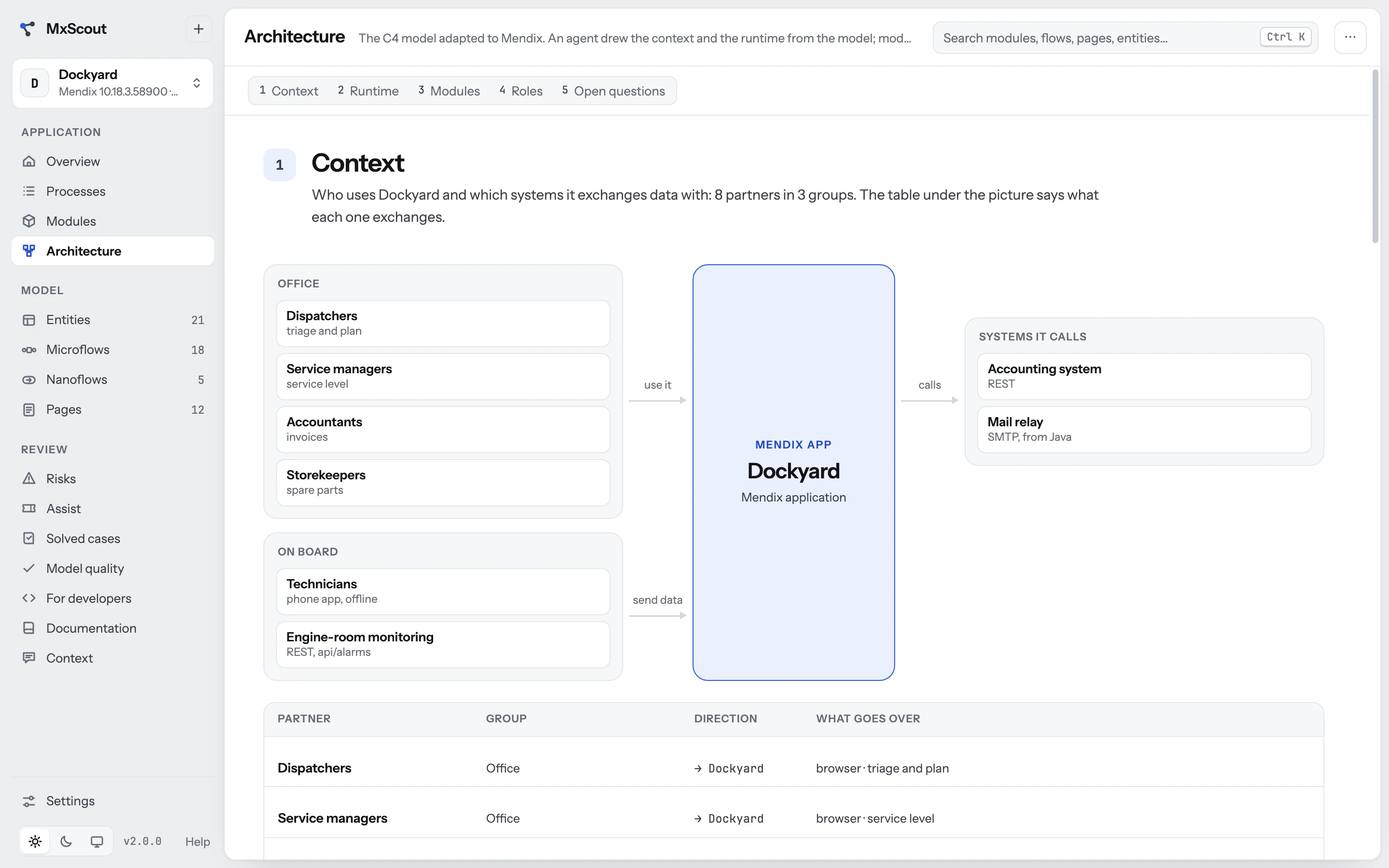
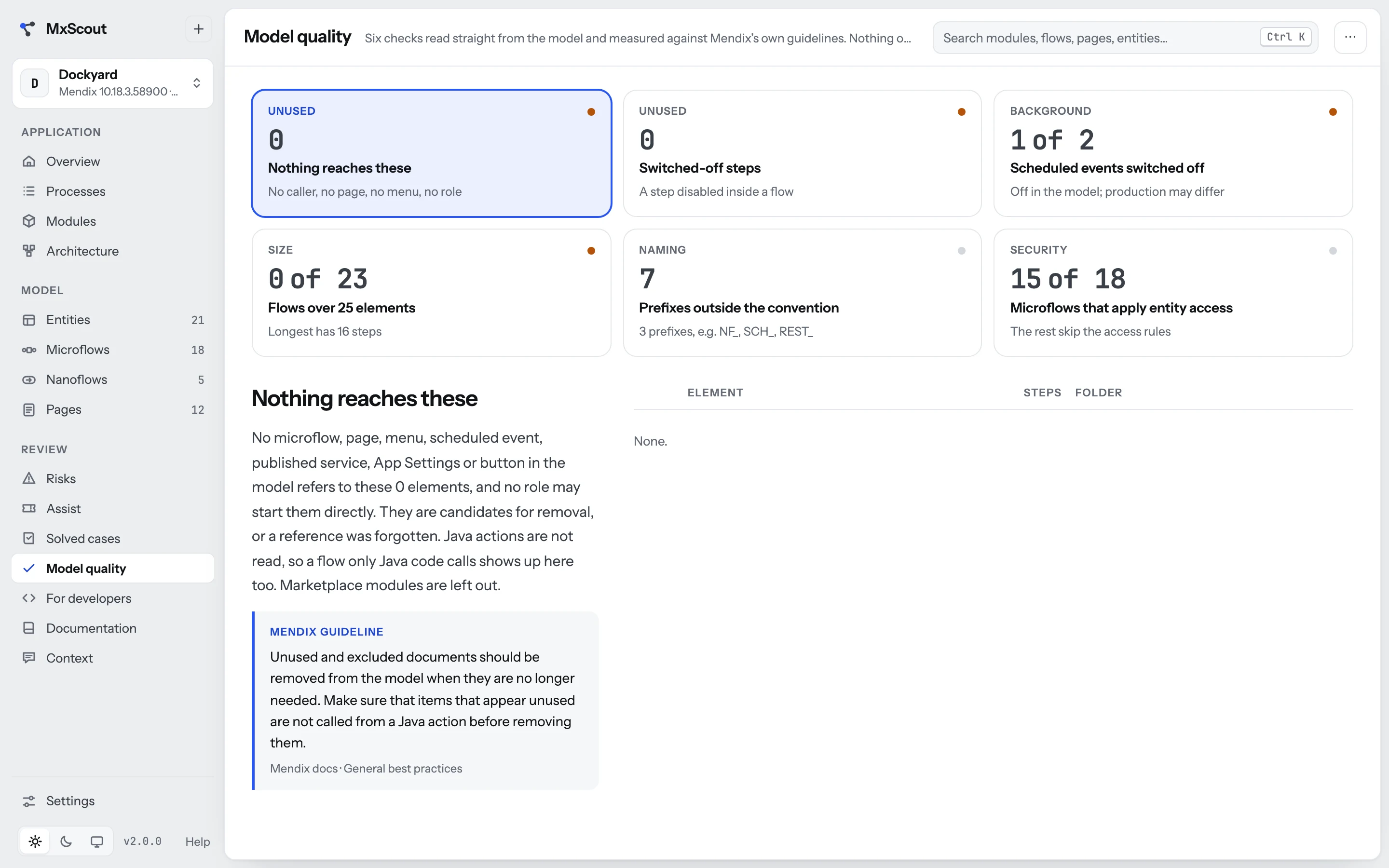
MxScout opens the model and turns it into documentation people actually read — what the app is for, its business processes, the domain model, every microflow drawn the way Studio Pro draws it, and the risks ranked P1 to P3. On your own machine. Nothing installed, nothing sent.

  • 0 npm dependencies
  • 127.0.0.1 only
  • 0 bytes written to disk by the server
  • Offline once it is on your machine
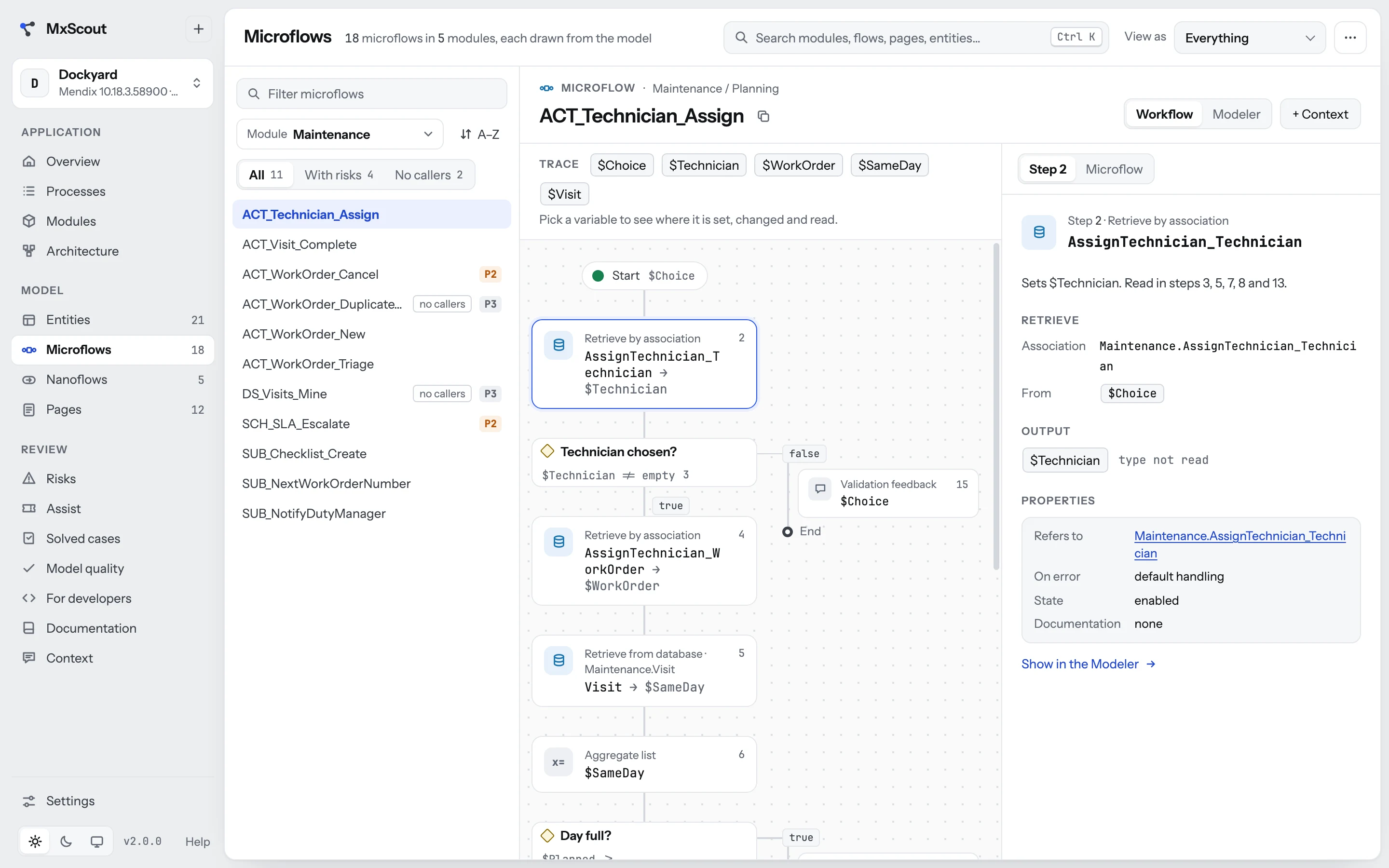
MxScout showing a microflow of the demo app Dockyard: the flow drawn step by step, its variables traced, and the step's details beside it.

The model knows everything. Nobody reads it.

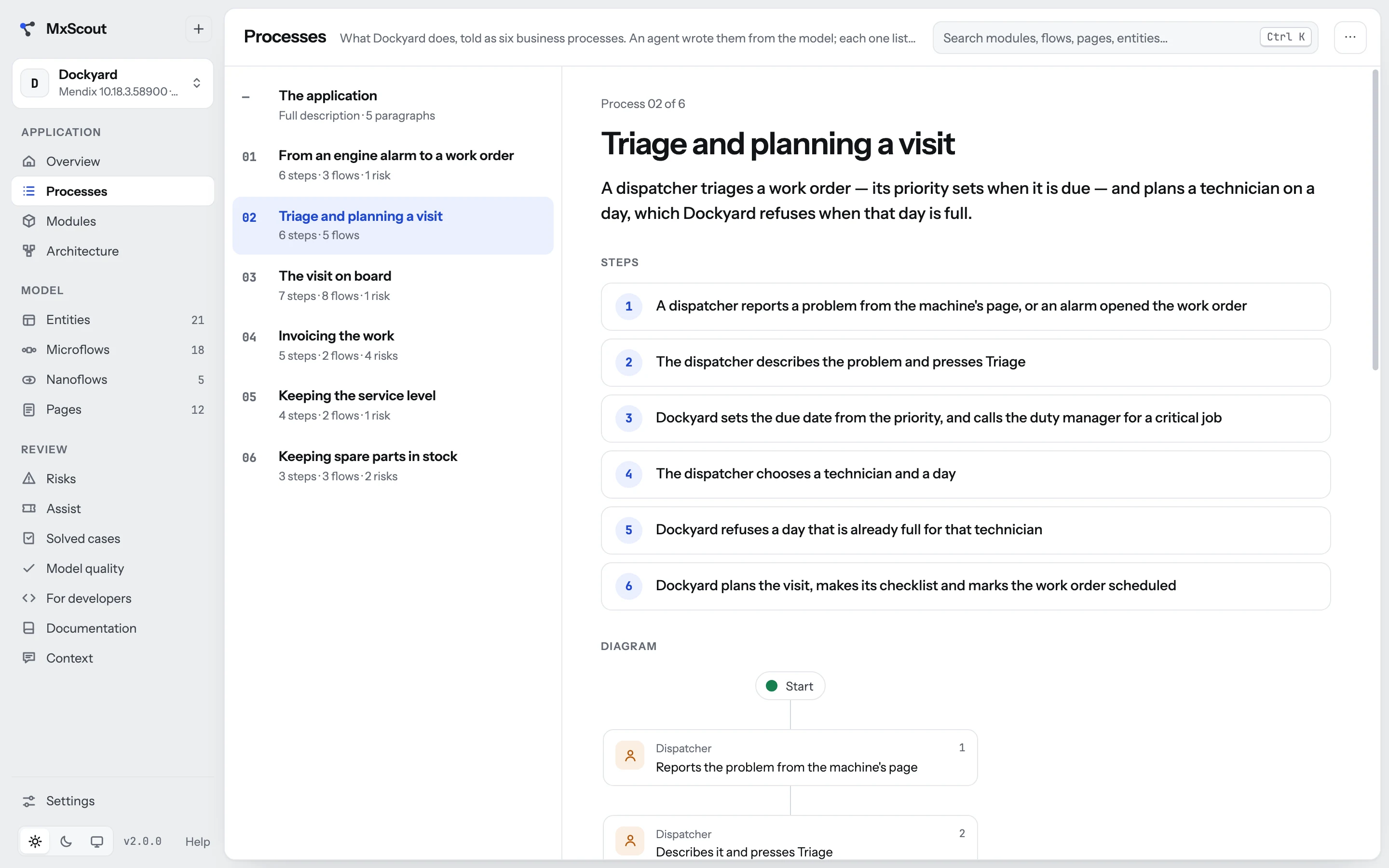
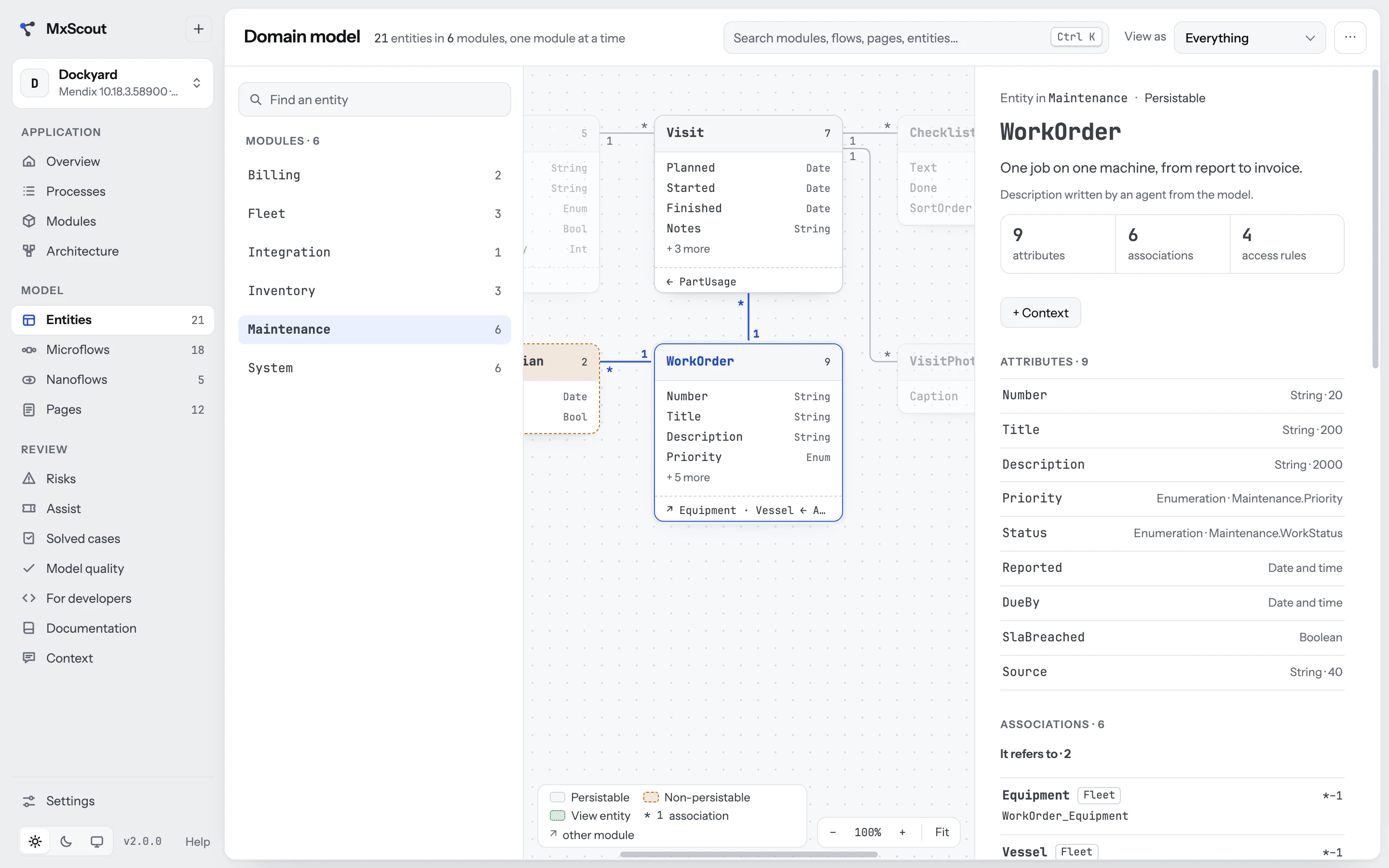
A Mendix app's real documentation is its model: every entity, every access rule, every decision in every microflow. It just isn't written for people. The business can't open Studio Pro, a new developer doesn't know where to start, and the reviewer has a day to say whether it is safe.

MxScout reads the .mpr straight from the project folder and lays it out as a report you can hand to anyone — and, with an AI agent of your choice, adds the words: what each flow does, the processes told as stories, and what could go wrong.

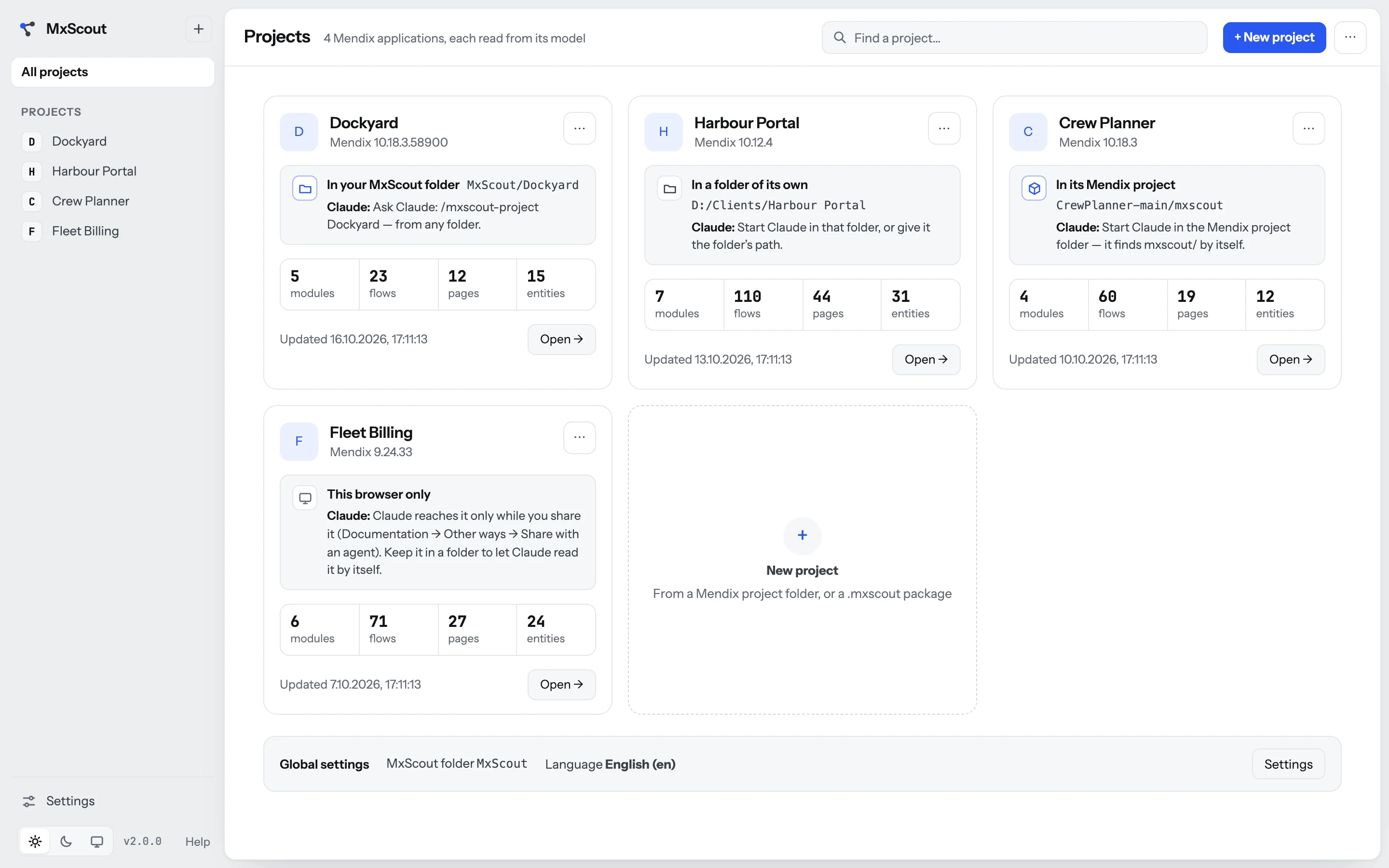
Your projects, and where they live

Always know where everything is.

Every project says, in plain words, where it is kept — and how to point your AI agent at it. Nothing of yours goes into the Mendix project unless you put it there.

Your MxScout folder

One folder you choose once: every project gets a folder of its own there — the model, what the agent wrote, your notes. Tell Claude /mxscout-project Dockyard from anywhere.

In the Mendix project

When the team wants the documentation in git: mxscout/ beside the .mpr, committed with the app. What is only yours stays out of it.

A folder of its own, or this browser

Anywhere you like, or nowhere on disk at all. The card says what that means — and what to do to let an agent read it.

The projects page: four projects, each card saying where it is kept — the MxScout folder, a folder of its own, the Mendix project, this browser only — and how to give it to Claude.

A tour, on a real-looking app

Everything in the model, in the order people ask for it.

These are MxScout's own screens, on Dockyard — the demo app you can open yourself.

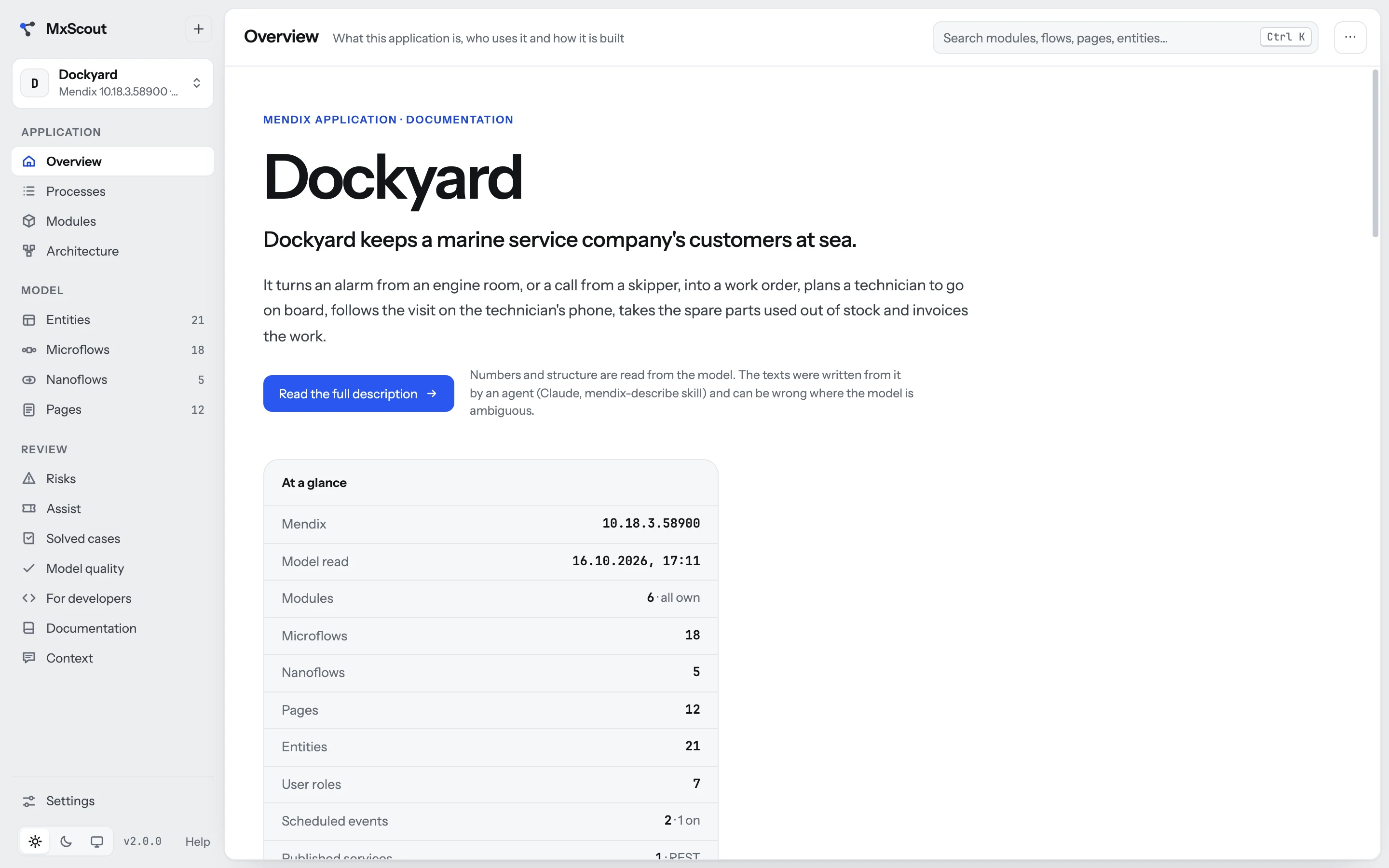
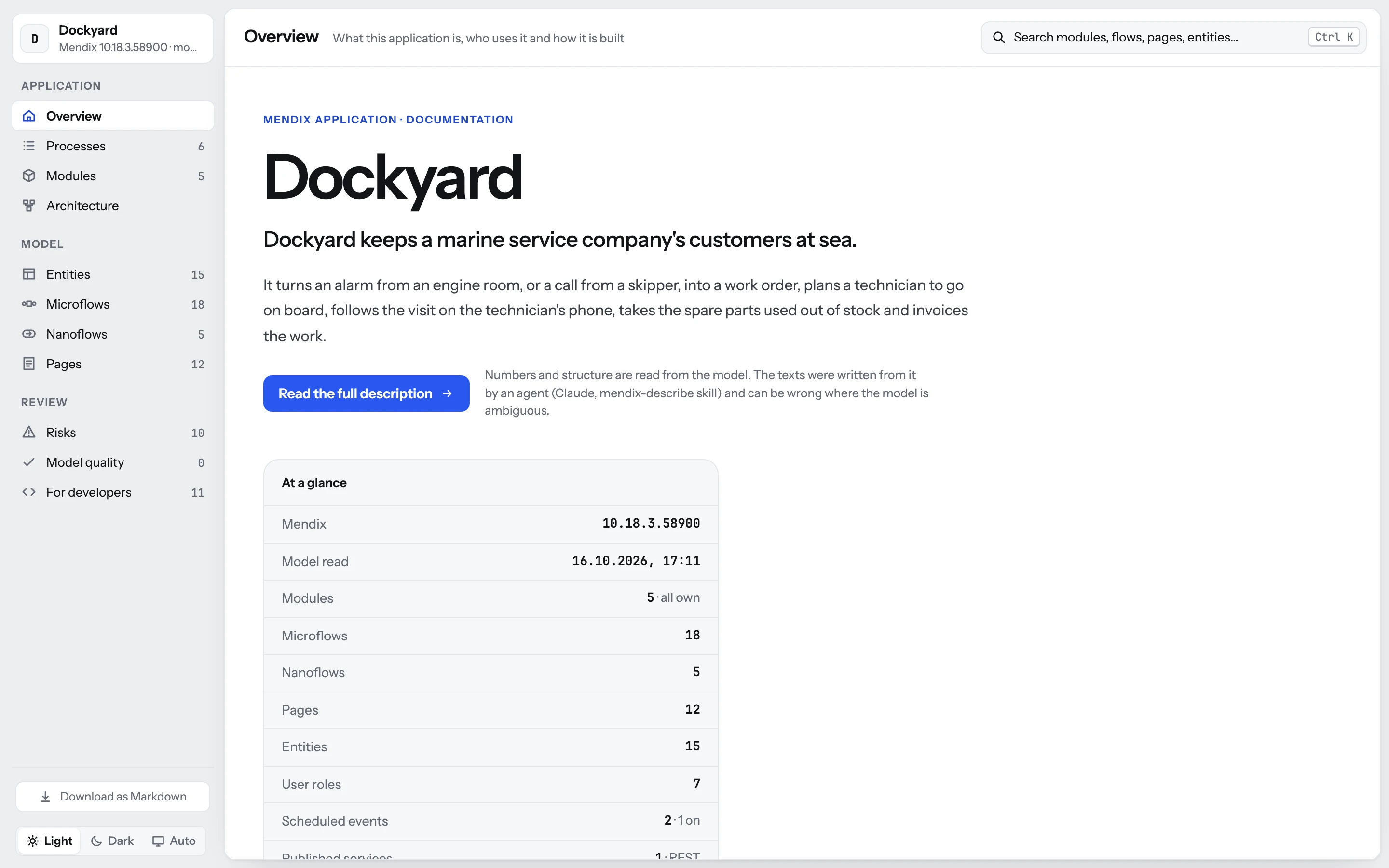
What the app is, in one screen

The application in two layers — a summary anyone reads, and the full story behind it — with who uses it and its numbers at a glance. Written by an agent from the model, and marked as such.

The Overview screen: the app's summary, who uses it and its numbers at a glance.

One file, for anyone

Send the documentation as a single HTML file.

Export the whole thing — every page above, the flows, the domain model — as one file that opens in any browser, offline, with no MxScout on the other side. Or as Markdown, for the wiki. Or keep it in the Mendix project's git, next to the app, so the team gets it with every pull.

See the Dockyard export

The exported documentation of Dockyard, opened as a file in a browser: the same pages, no MxScout needed.

AI, on your terms

MxScout runs no AI. It works with yours.

The numbers, the structure and the drawings come from the model. The words — what a flow is for, how a process goes, what is risky — come from an agent you choose, and every sentence it wrote is marked as its.

Claude Code

Three skills ship with MxScout. /mxscout-project opens any of your projects by name; mendix-describe writes the documentation and keeps it up to date when the model changes. mendix-assist checks a Service Desk ticket against the model, works out a Jira issue or an idea, and keeps each as an item with its status — bug or as designed, with the evidence and a reply to paste back.
Codex

The skills are plain Markdown and dependency-free Node scripts. One command installs them for Codex too; then you just ask: “use the mendix-assist skill — I have a ticket”.

Copilot, or any chat assistant

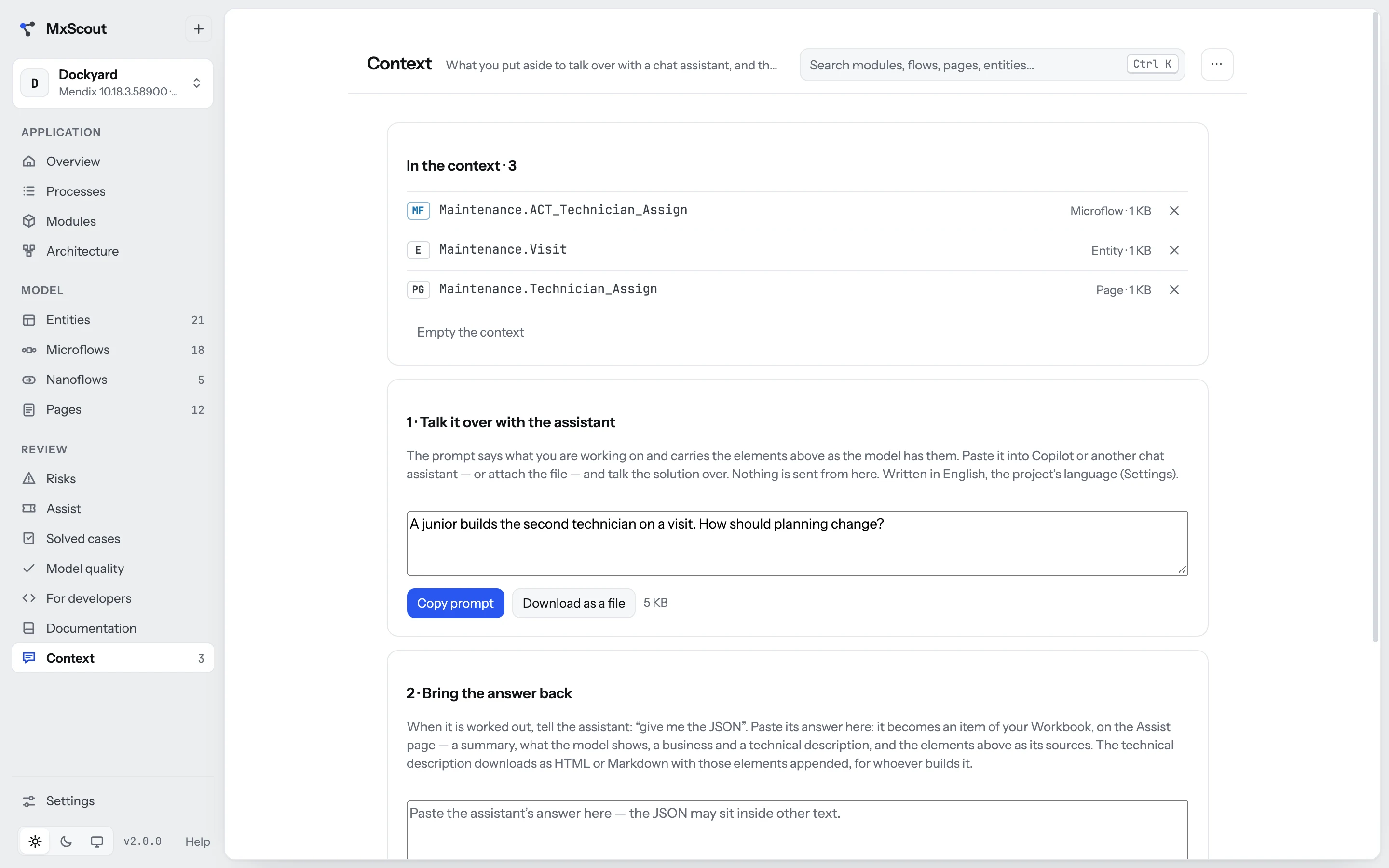
No agent at all? Put the entities, flows and pages you are talking about into the Context, copy one prompt into Copilot and work the solution out. Ask it for the JSON, paste it back: a business and a technical description, with the model attached — ready to send to whoever builds it.

The Context screen: three model elements put aside, and the prompt to copy into a chat assistant.

Built to pass a security department

Read the dependency list. There isn't one.

MxScout is meant for a company laptop inside a company network. Every one of these is written down in the app, on its About & security page, as a promise to whoever audits it.

Zero dependencies

No npm packages — not in the app, not in the tests, not in a build step. There is no build step. What runs is what you read.

Loopback only

A small Node server bound to 127.0.0.1. No telemetry, no CDN, no external assets, no account, no cloud.

Writes nothing to disk

The model is read in your browser, in a Web Worker. Projects live in the browser's own database — or in a folder you pick, written by the browser.

No installer

A folder and a launcher. No administrator rights, no background service, no registry, no PATH change.

Encrypted packages

Share a project as an AES-256-GCM package, WebCrypto only, unlocked with an access code that is shown once and never stored.

Tests you can run

The suite ships with the app and drives a real Chromium: npm test. GPL-3.0 — every line is there to read.

Try it on Dockyard

A demo app worth reading.

Dockyard is a made-up Mendix app of a marine service company. Alarms come in from the engine rooms of its customers' vessels; dispatchers triage them into work orders and plan technicians; the technicians work on board from an offline phone app; spare parts are taken from stock and the work is invoiced.

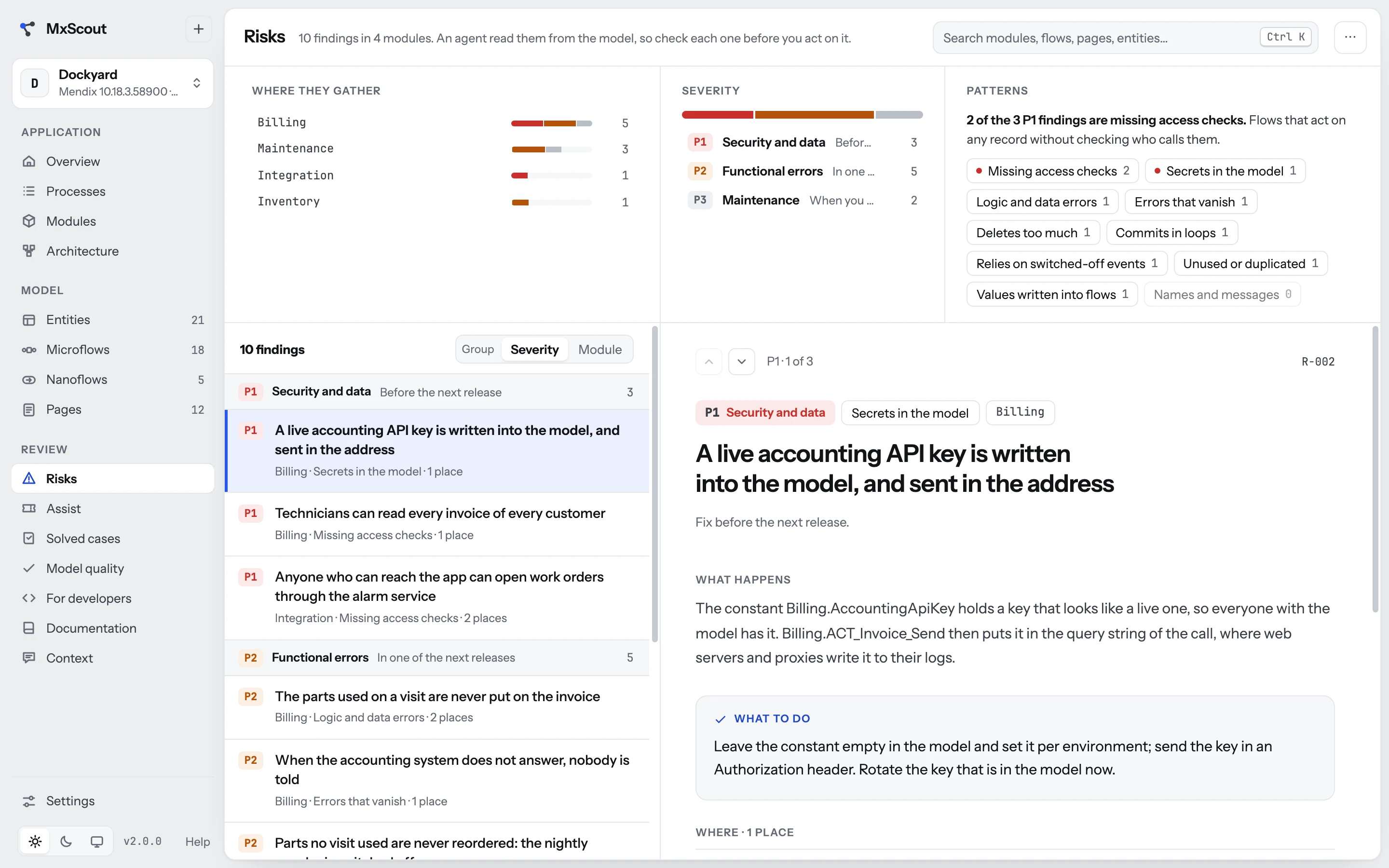
It is built to show what MxScout finds — so it has a published service anyone can call, a live API key in the model, parts that never reach the invoice, and a few more. Ten of them are on its Risks page. Can you find them in the flows first?

  • 5modules
  • 15entities
  • 18microflows
  • 5nanoflows
  • 12pages
  • 7user roles
  • 6processes
  • 10risks
1

Look, nothing to install

The documentation MxScout exports, as it would reach your client: one HTML file, opened in this browser.

Open the documentation
2

Open it in MxScout

The model and its descriptions in one package. In MxScout: New project, drop the file on Choose a JSON file (or click it and pick the file), then type the code.

Download Dockyard.mxscout

Access code MXS-PW25Z-Y6G8F-K6W4Y-5JF7F

3

Start from the model

The bare .mpr: the model and nothing written about it. New project, drop it on the file box. Add the descriptions later from Documentation → Other ways.

Dockyard is invented from start to finish; any likeness to a real company or application is a coincidence. It is generated straight into the .mpr format for MxScout to read, and is not meant to be opened in Studio Pro.

Get it

Two minutes, one folder.

MxScout needs Node.js and a modern browser — Chrome or Edge, if you want to keep projects in a folder or in the Mendix project's git. Get the folder, double-click MxScout.cmd on Windows or MxScout.command on macOS, and your browser opens on it. No Node.js on the machine? The launcher offers to put an official copy in the MxScout folder — only after you type yes.

Then New project, and pick your Mendix project folder.

# get it
git clone https://github.com/ksiejek/mxscout.git
cd mxscout

# run it — http://127.0.0.1:4289
./start.sh

# later: update it
./update.sh

# the Claude skills, for Claude Code and Codex
skills/install.sh --codex